Local LLM bench lab
Describe an experiment in one YAML file: the models, the llama.cpp settings and the parameters to vary. The llb command builds llama.cpp, downloads the models, runs every combination while it watches temperature and memory, stores everything in SQLite and tells you which configuration wins, with the llama-server command to deploy it.
It was designed for a Raspberry Pi 5 first, and it works on any Linux PC, including WSL2.
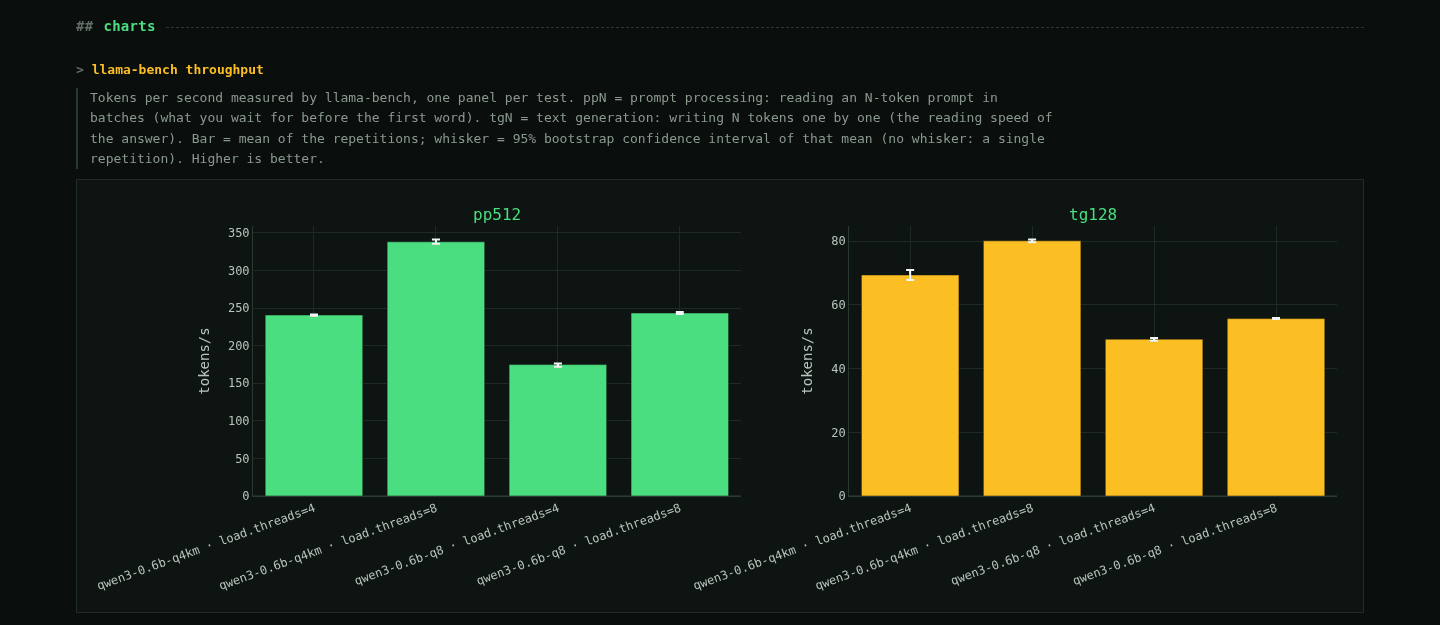 Tokens per second with 95% confidence intervals
What it measures
- Speed, latency, quality and concurrency in one tool, driving
llama-bench,llama-serverand, optionally, lm-evaluation-harness. - Reproducible: every result records the llama.cpp commit, the model's sha256, the exact flags and the machine. Every flag is checked against the binary before running.
- Honest numbers: confidence intervals per test, cooldown between runs, and noisy or throttled runs flagged as unstable.
- Answers, not just tables: pass/fail gates, a winner, HTML and Markdown reports and a web dashboard.
The dashboard
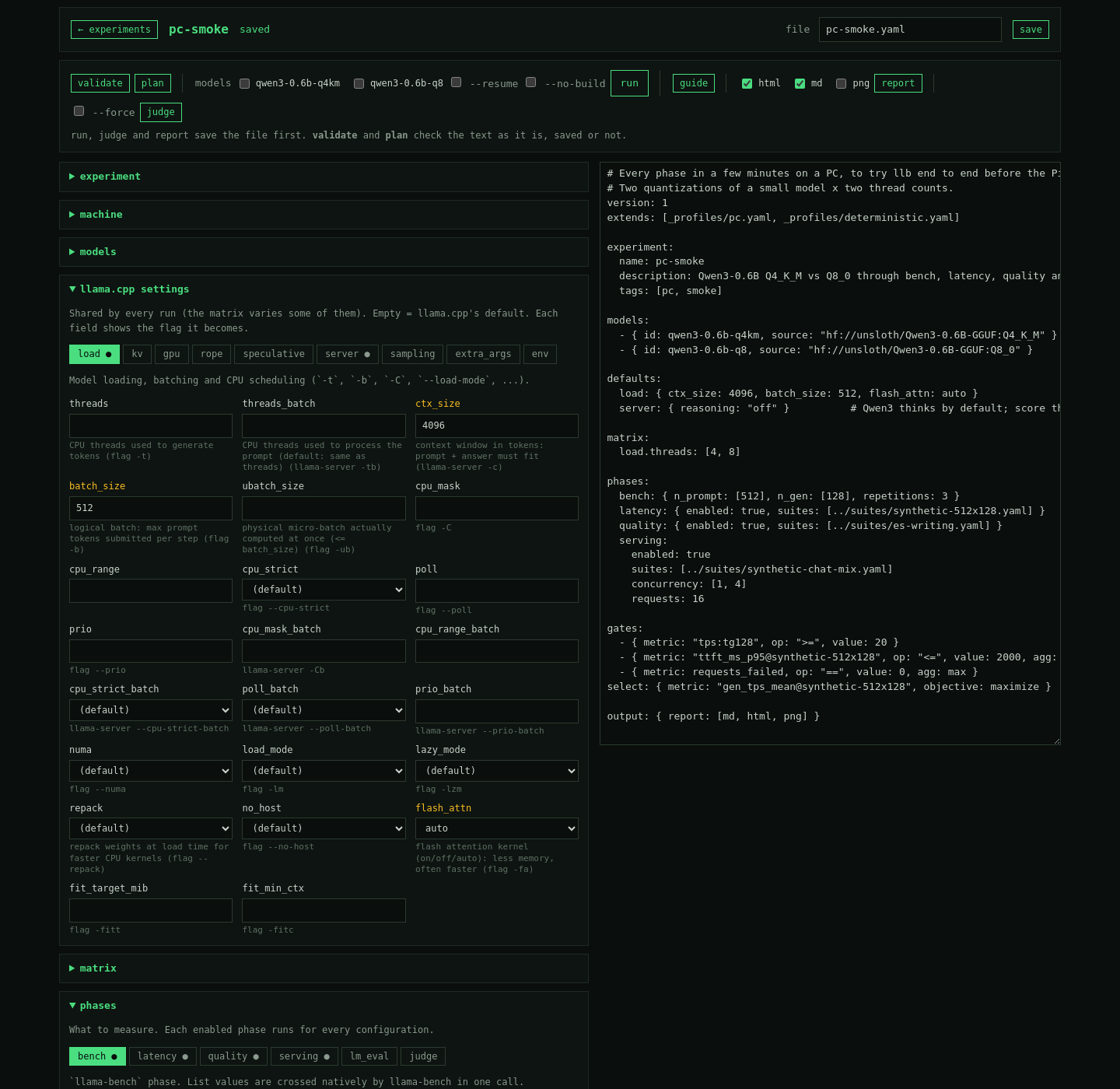 Building an experiment
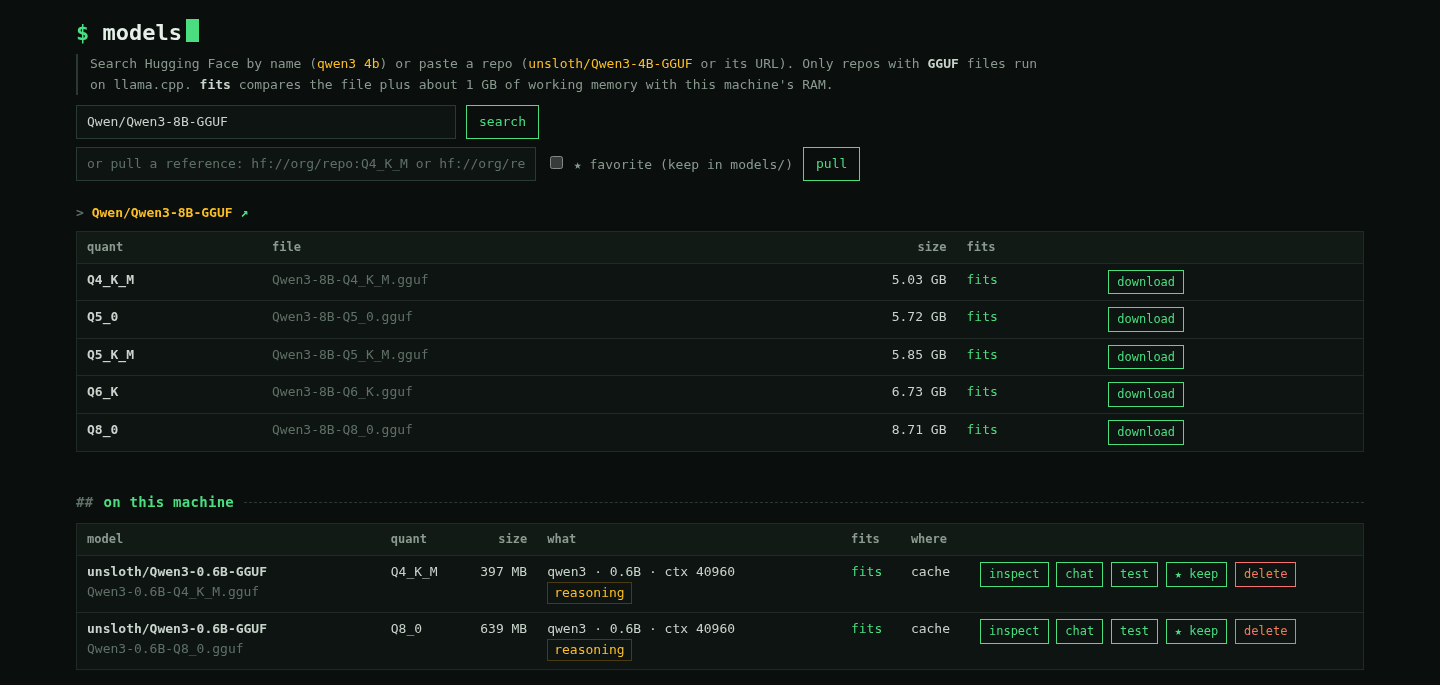 Picking models and quantizations
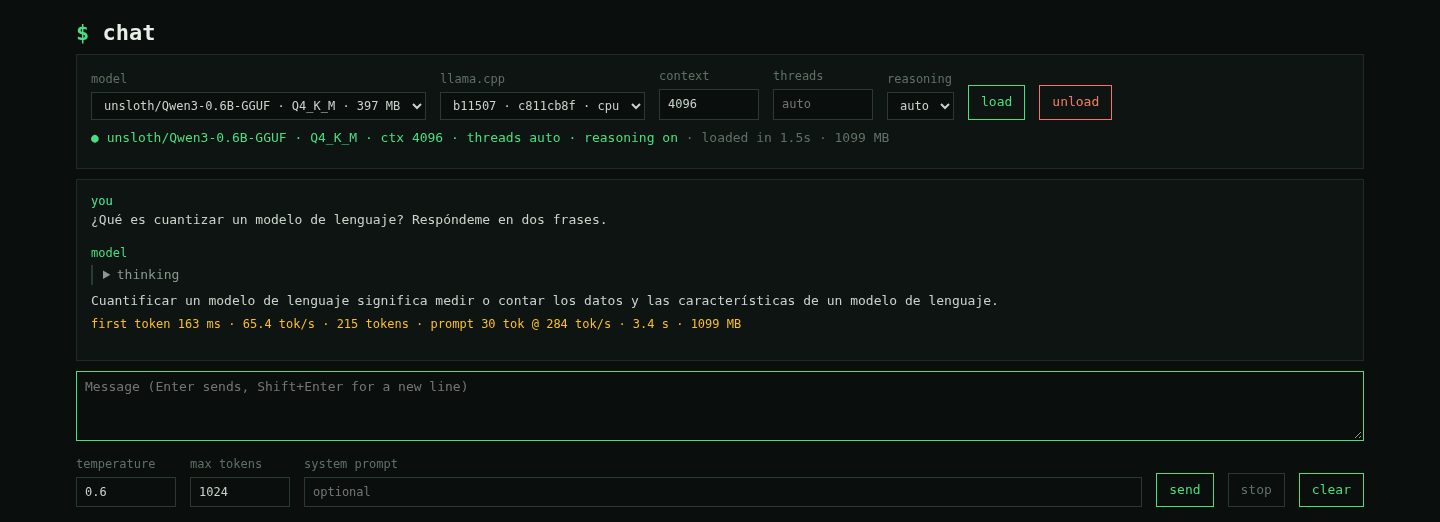 Chatting with a model, with its metrics
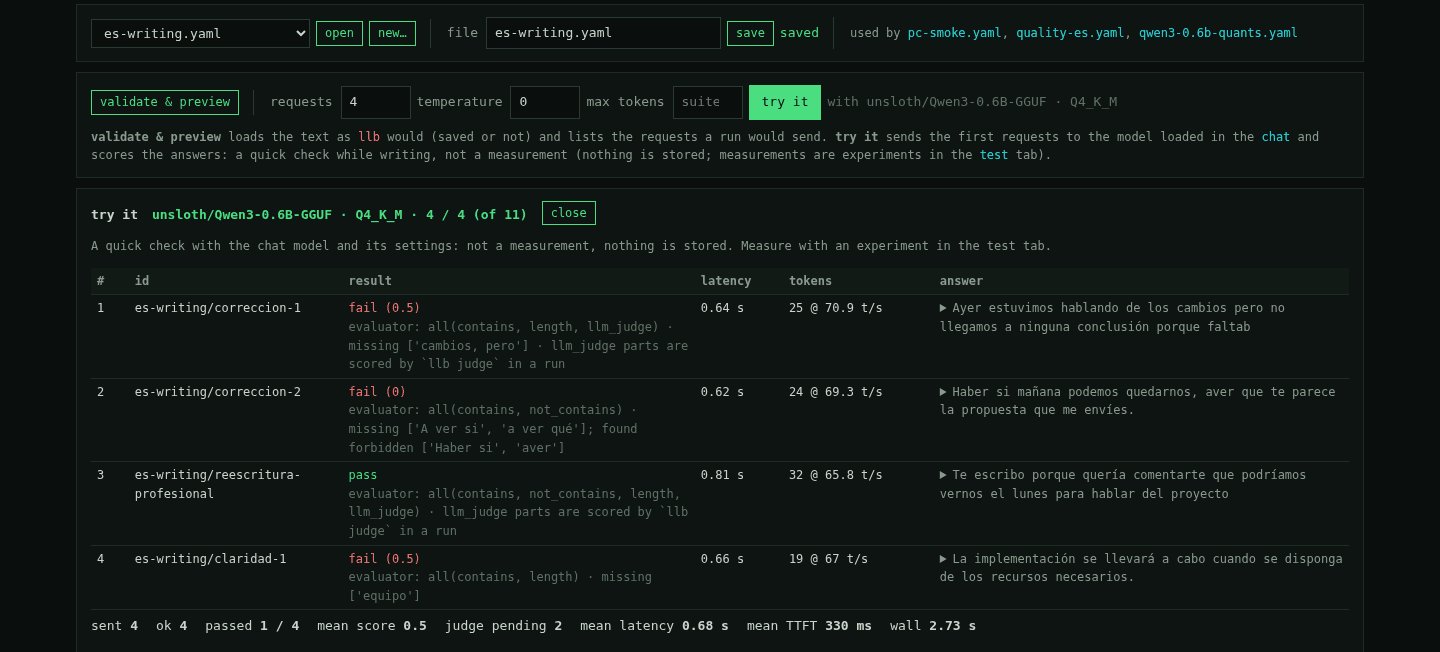 Quality suites, scored answer by answer
Status
Version 0.11: every planned phase is implemented. 1.0 will follow validation on a Raspberry Pi 5.